Know what you own,
where it is, and
when it expires.
AssetCompass gives lean IT teams a live inventory: assigned devices, warranty status, and lifecycle tracking. No server, no sales call, no weekend of configuration.
Not ready for software? Download our free spreadsheet template →
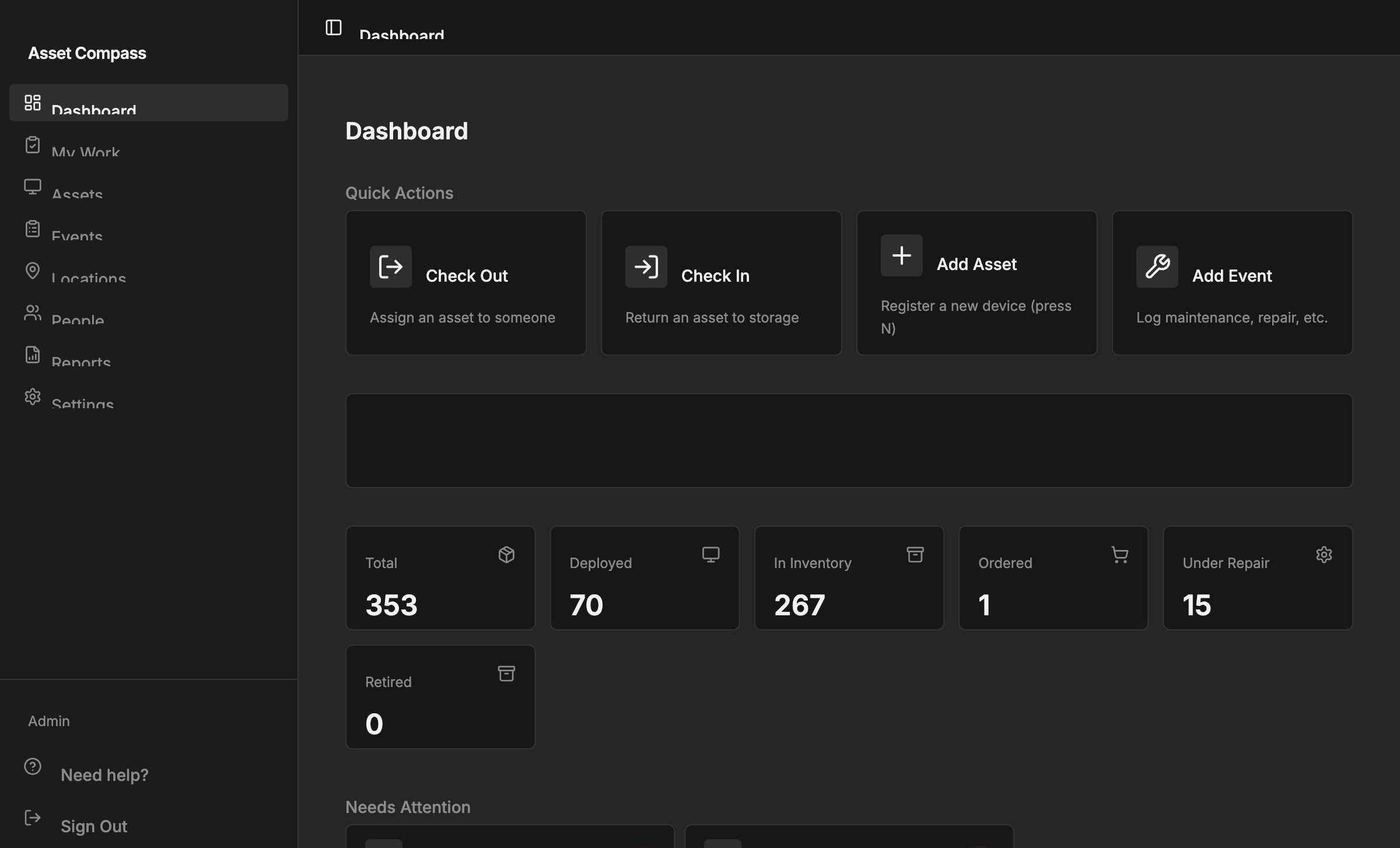
5 min
Median time to first dashboard
0
Servers to provision or maintain
100%
Self-serve, no sales call
1 CSV
All you need to get started
Spreadsheets don't send warranty alerts.
Most IT teams know their tracking is broken. The question is how much time and budget you're willing to spend fixing it.
Still tracking in spreadsheets
No status tracking, no warranty alerts, no assignment history. Just a file nobody trusts.
Warranties expire silently
Most teams discover expired warranties after something breaks. That reactive cost is entirely avoidable.
Existing tools require too much overhead
Snipe-IT takes a weekend to configure. Asset Panda requires a sales call. AssetCompass is live in minutes.
From spreadsheet to dashboard in 5 minutes
No agents to deploy. No schema to design. No server to configure.
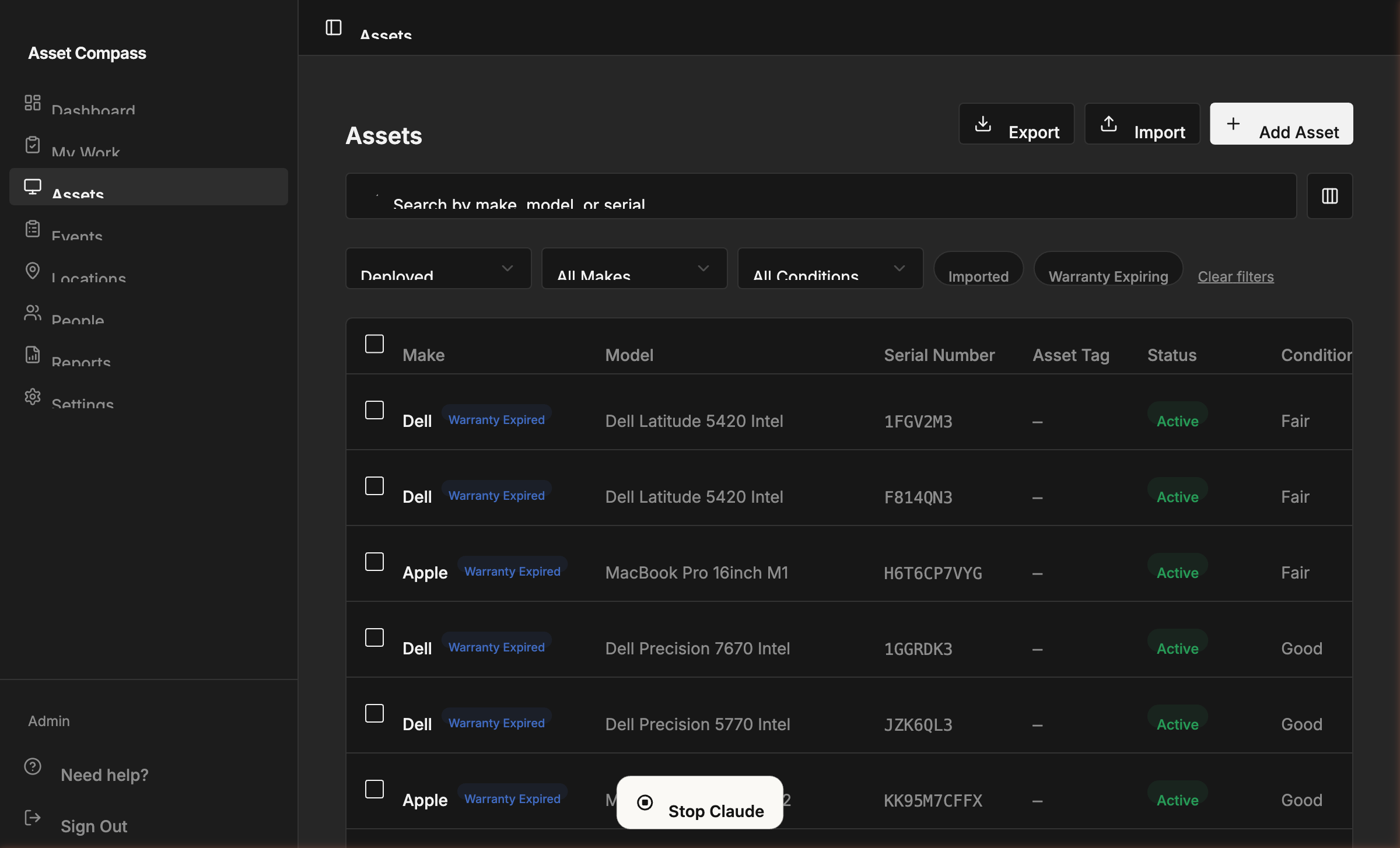
Import or scan
Upload your existing spreadsheet, or scan a receipt with AI. Your asset inventory is live in minutes — no manual re-entry.
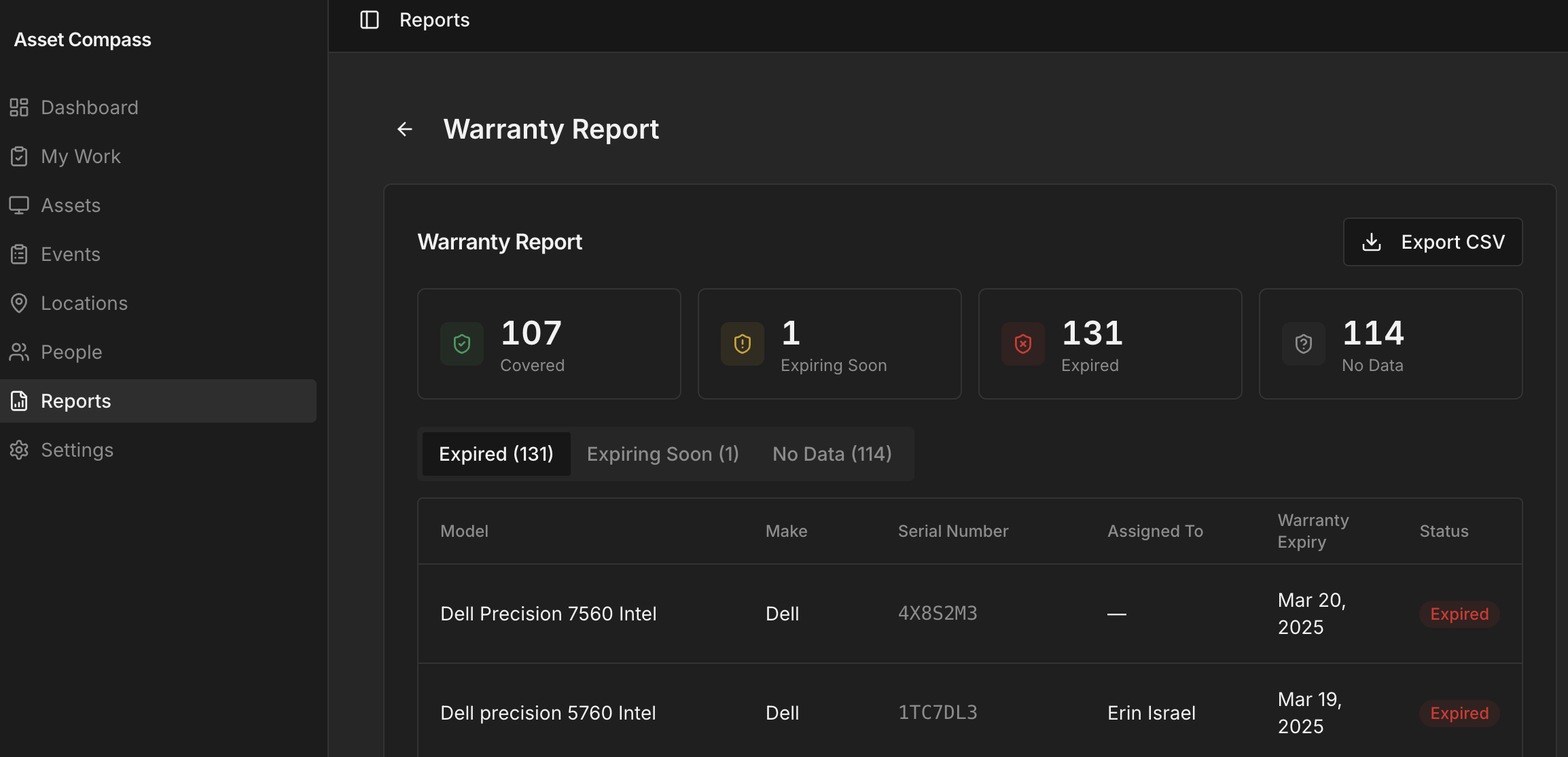
See what needs attention
Expired warranties, unassigned devices, and missing data surface immediately, prioritized by impact.
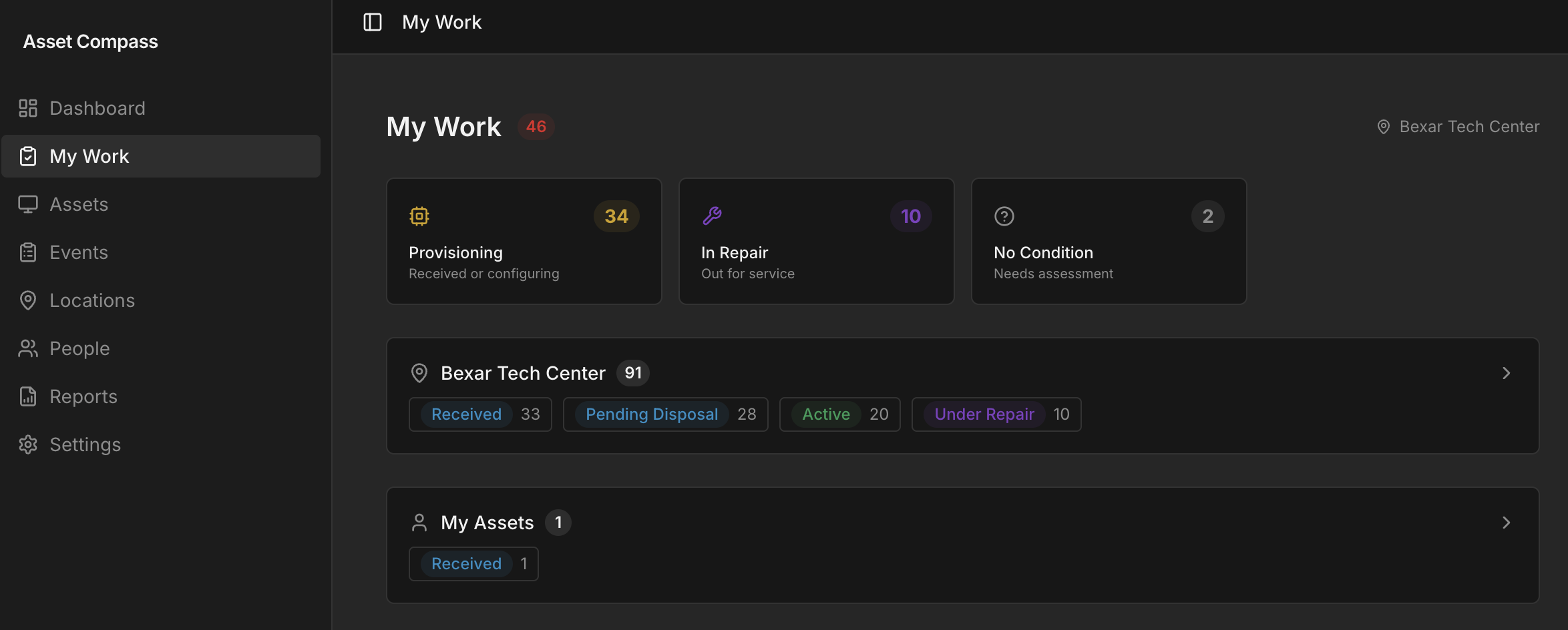
Track everything going forward
Check devices in and out. Log events. Full audit trail included, zero manual effort.
Built for the way lean IT teams actually work
No enterprise bloat. Every feature solves a real operational problem.
Start free trialWarranty Alerts & Reports
Every expired warranty and device expiring within 60 days, in one view. Export to CSV for procurement or finance.
Full Lifecycle Tracking
Track every device from Ordered to Deployed to Retired. Five primary statuses with sub-statuses so IT and finance always agree.
Check-in / Check-out
Assign devices to people with a click. Full custody chain recorded automatically when someone leaves or swaps hardware.
Data Completeness Score
The only ITAM tool that shows you what's missing. Track warranty coverage, condition data, and assignment rate in one score.
Finance & Depreciation
Purchase price, depreciation, and disposal tracking built in. Give finance a read-only login so they pull their own reports.
AI Receipt Scanning
Snap a photo of a receipt or invoice. AI extracts the asset details automatically. Review, confirm, done.
Bulk CSV Import
Bring your spreadsheet as-is. Columns mapped, people and locations created, live dashboard. No manual re-entry.
People & Assignment Tracking
Every device linked to every person. When someone leaves, you know exactly what to recover.
Location Tracking
Offices, remote workers, repair depots. Know where every device physically is, not just who last had it.
Employee Offboarding
When someone leaves, choose per-asset: return to IT, employee buyback, or mark lost. Every disposition tracked and auditable.
QR Code Labels
Generate QR codes for every asset. Print labels in bulk as PDFs — stick them on devices and scan to pull up details instantly.
My Work Queue
One prioritized list of everything that needs attention: expiring warranties, pending returns, devices awaiting provisioning.
Purpose-built for teams without
a dedicated ITAM platform
10-500 endpoints. No enterprise asset system. Sound familiar?
IT Manager / Sys Admin
One person managing 100+ devices. You know the pain of fielding 'what laptop do I have?' at audit time. AssetCompass gives you a real-time answer.
MSP / IT Service Provider
Track assets per organization. Run warranty reports per client. Keep records clean without bouncing between spreadsheets.
Operations / Office Manager
No technical setup required. Upload a spreadsheet, assign devices to people, and know what you own in an afternoon.
// How We Compare
An honest comparison.
We're not the right fit for every org. Here's where we stand.
| Spreadsheet | Snipe-IT Self-hosted | Recommended ASSETCOMPASS Cloud · No Setup | |
|---|---|---|---|
| Getting Started | |||
| Time to first dashboard | Days of manual entry | Hours to days | ~5 minutes |
| No server required | |||
| Free trial, no credit card | — | ||
| Asset Tracking | |||
| Warranty expiry alerts | |||
| Assignment & custody history | |||
| CSV import, auto column mapping | — | Partial | |
| AI receipt scanning | |||
| Employee offboarding workflow | |||
| QR code labels & printing | |||
| Visibility & Reporting | |||
| Live dashboard | |||
| Data completeness score | |||
| Prioritized action queue | |||
| Pricing | |||
| Starting price | Free | Free (you host & maintain) | $29/mo |
Transparent pricing. No surprises.
30-day free trial for founding users. No credit card. Cancel anytime.
Starter
Up to 100 assets, 3 users
- Full asset tracking & lifecycle
- Warranty reports & CSV export
- Check-in / check-out workflow
- Employee offboarding & disposition
- QR code labels & printing
- Finance read-only role
- Depreciation tracking
- 30-day free trial
Pro
Unlimited assets & users
- Everything in Starter
- Unlimited assets
- Unlimited team members
- Priority support
- 30-day free trial
Founding user pricing — limited to the first 25 teams.
Snipe-IT self-hosted is free but takes a weekend. Your time isn't free.
Stop managing assets in a spreadsheet
nobody trusts.
We're opening AssetCompass to our first 25 founding teams. 30-day free trial, no credit card, setup in 5 minutes.
Start free trial, no credit card required